 Tidify
Photo library cleaner · iPhone
Swipe up.
Delete once.
Photos makes you confirm every single deletion. Tidify lets you swipe through a whole month, pile up everything you don't want, and clear it in one tap.
01 — Rediscover
It was never only about deleting.
The best thing you'll find while cleaning is a photo you forgot you took.
Glimpses ⭐
A handful of photos pulled at random from your entire library. No algorithm deciding what mattered, just chance, which turns out to be much better at surprising you.
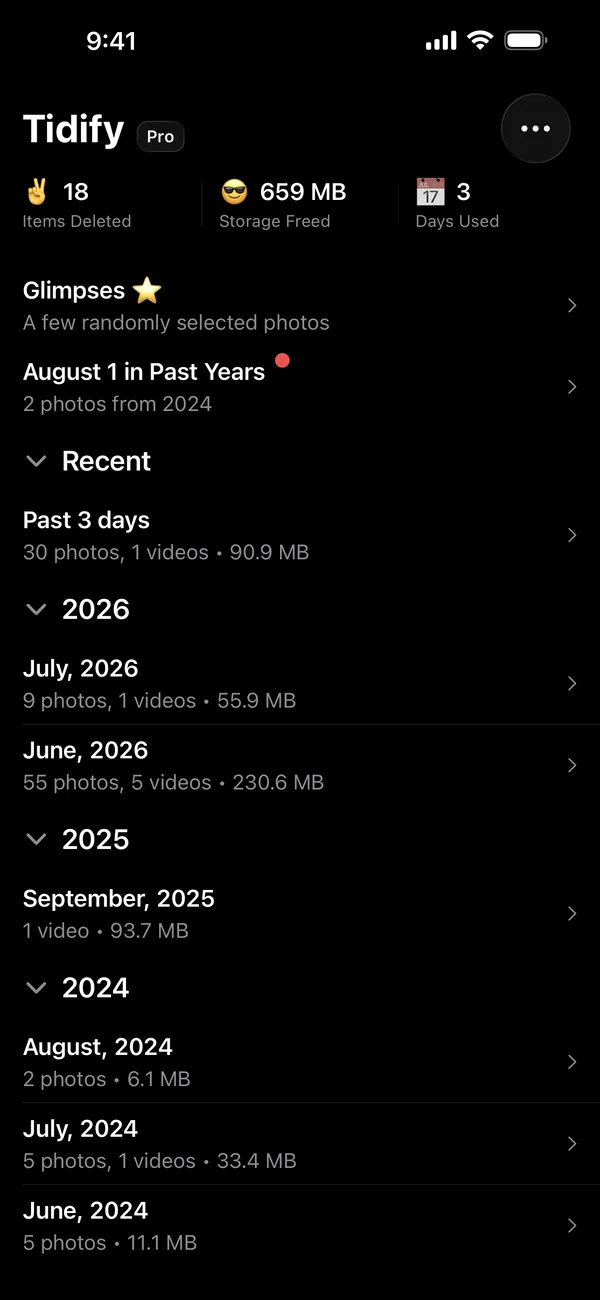
On this day, in past years
Today's date, every year you've had a phone. The same walk, five summers apart. It's the reason people open the app when they have nothing to clean.
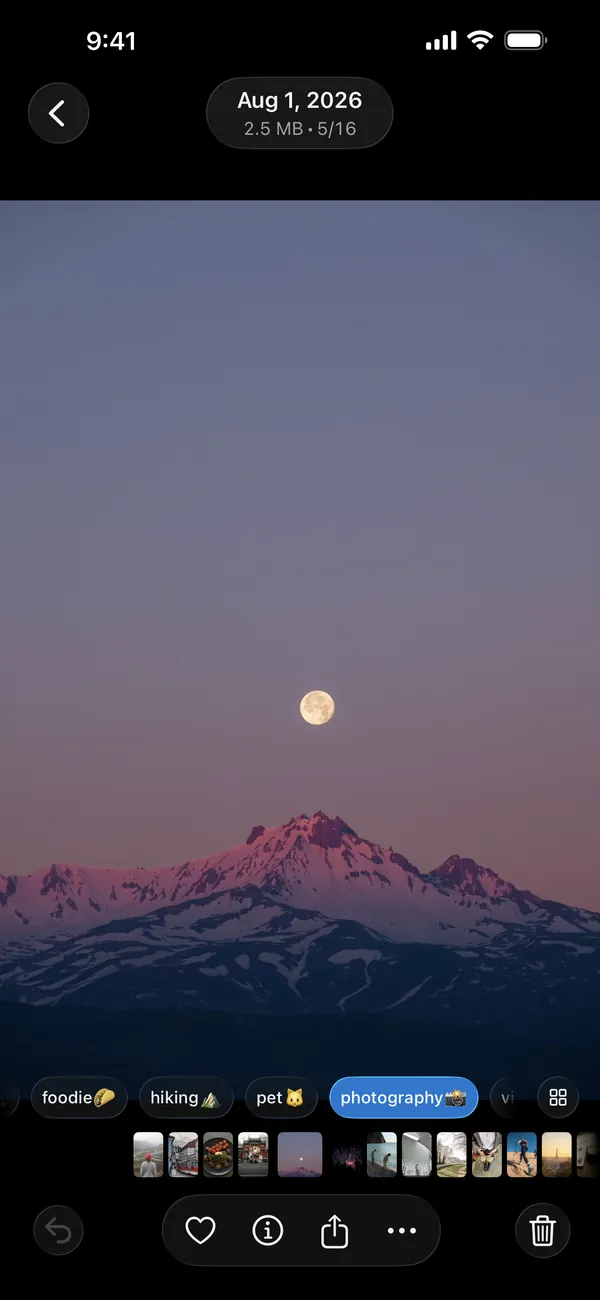
Add to albums as you go
Album chips sit under every photo. One tap files it: no share sheet, no menus, no three-step detour.
02 — Browse
Cut it however you think about it.
By month when you want to work through a backlog. By year when you want the long view. By album when you know what you're looking for.
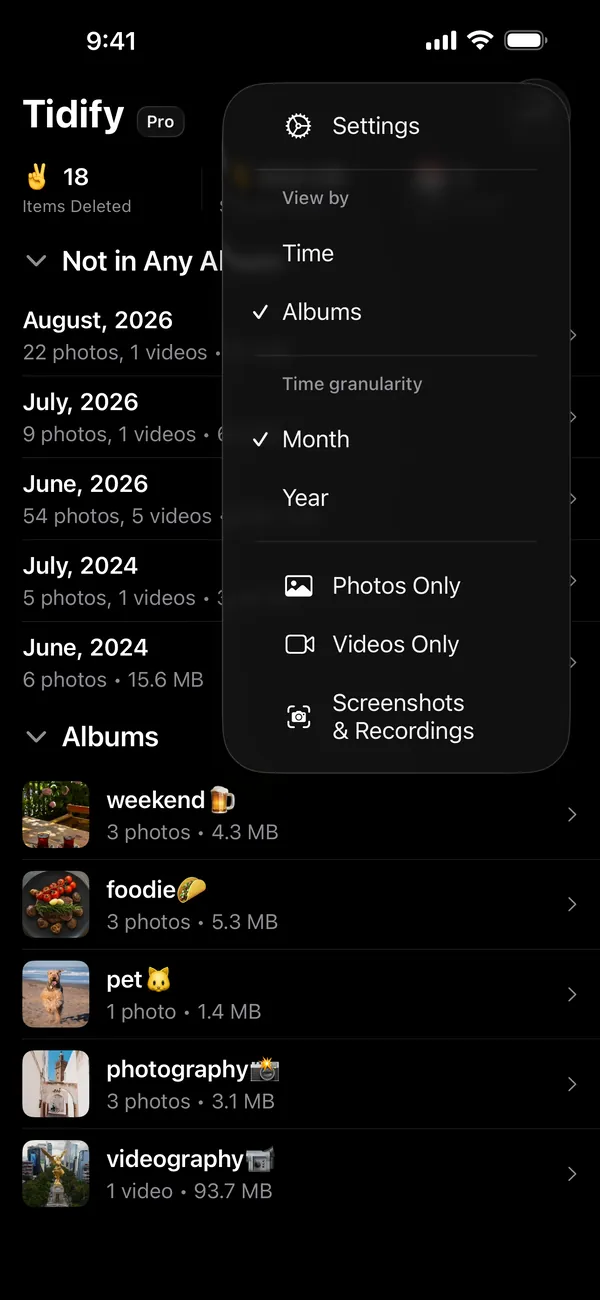
Month or year
Switch granularity at any time. “June, 2026: 1,239 photos, 282 videos, 23.07 GB” tells you where to start.
Filters that matter
Photos only, videos only, or screenshots and recordings: the fastest 3 GB you'll ever get back.
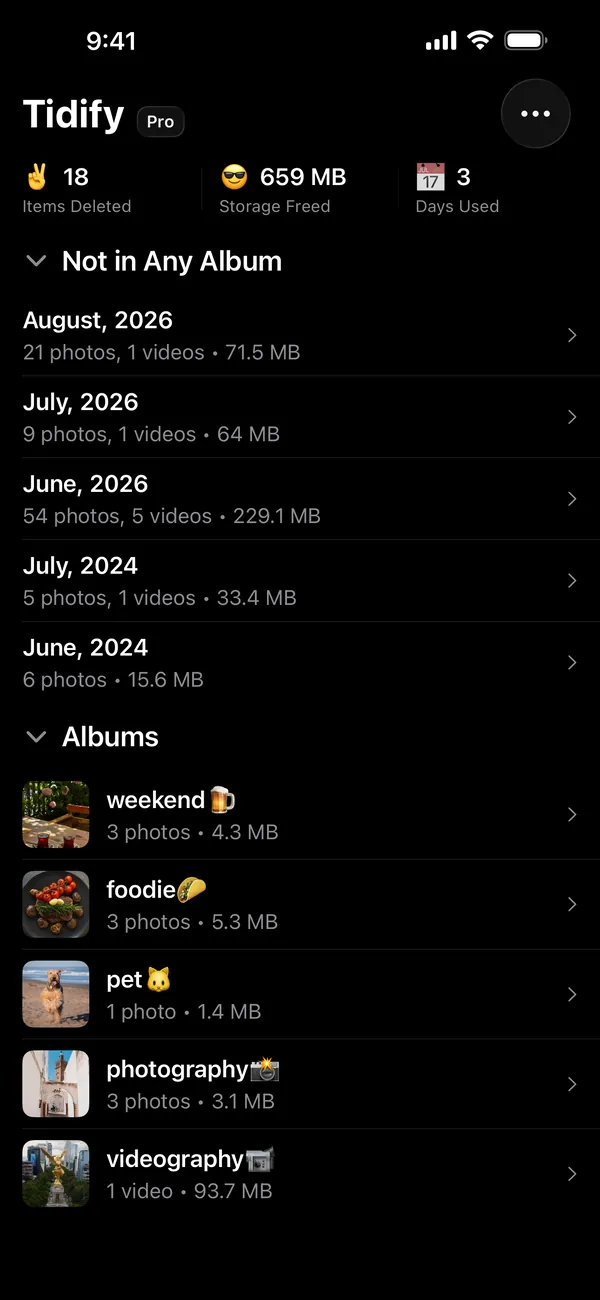
Not in any album
Browsing by album leads with everything you haven't filed, month by month, usually the exact pile worth clearing.
Your photos
never leave
your phone.
Tidify reads your library on device and writes back to it on device. Your photos are never uploaded, synced, or sent to a server. The app has never seen a photo of yours. It cannot.
- no account
- photos never leave your device
- deletes go to Recently Deleted
Questions
people ask.
Are the photos gone for good?
No. Tidify hands them to iOS, which puts them in Recently Deleted for 30 days. Nothing is destroyed the moment you tap confirm.
Do my photos get uploaded?
Never. Everything Tidify does with your library happens on device: there's no account, no sync, and no network access to your photos.
What if I queue something by mistake?
Undo pulls it straight back. The queue is just a list until you confirm it.
A tidier camera roll,
an afternoon away.
Free on the App Store. No account, no subscription to start, and your photos never leave your phone.